November 2026 Pixel Watch Drop: 5 New Features, What's Live, and Which Watch Gets What
Google's November Pixel Drop landed on November 10, 2026, and this time the Pixel Watch got a real share of it — five features, not a footnote at the bottom of the phone notes. One of them is rolling out now, and the other four arrive over the next few weeks. Here is what each feature does, which watch gets it, and what to check before you wait for it.
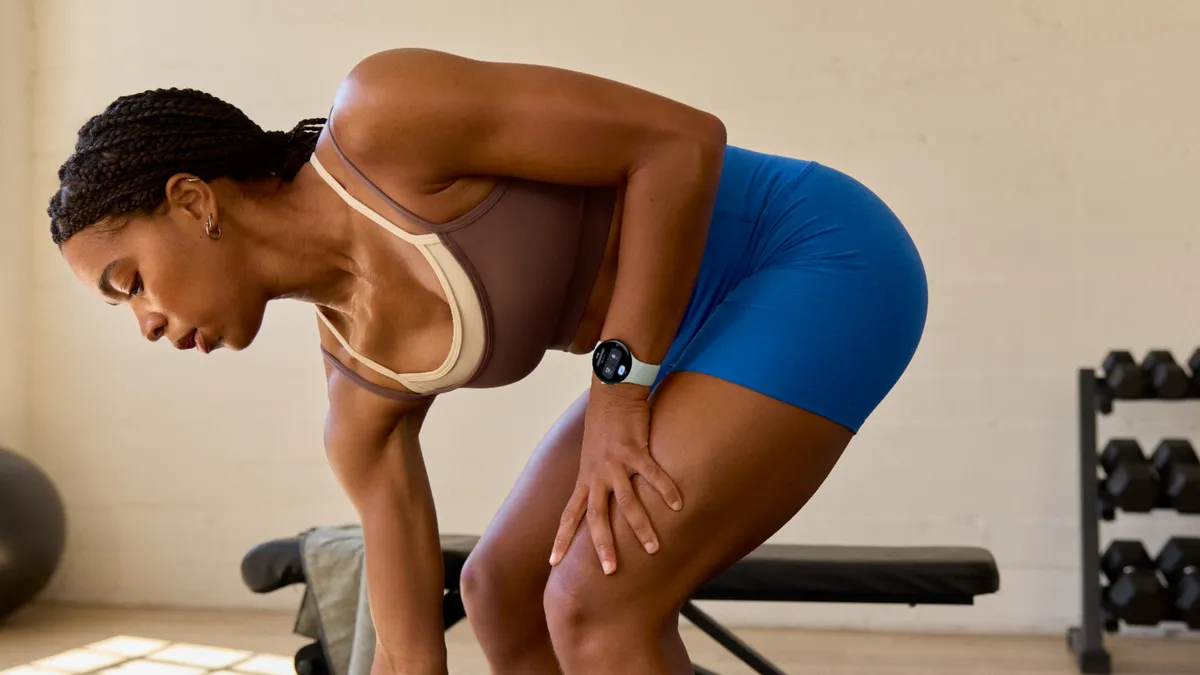
Photo: Google
Live now: step-by-step workouts
The one feature you can use today is step-by-step workouts, and it is the most practical of the five. Until now, the Pixel Watch could track a workout and show your heart rate, but following a structured routine meant glancing at your phone between sets. With this update, the watch walks you through each exercise in order: the name of the move, what to do, and then the next one when you finish the set.
It works with two kinds of routines. The first is a plan generated by the Google Health Coach, Google's Gemini-powered fitness assistant, which builds a personalized session for you. The second is a routine you build yourself, exercise by exercise, inside the Google Health app. Either way, the watch shows the step-by-step instructions, and the experience stays synchronized between your watch and your phone — start on one, follow along on the other, and see your stats on both after you finish.
You can also log reps and weights directly on your wrist and watch your live metrics during the set — much faster than unlocking your phone with sweaty hands between sets.
Who gets it: Pixel Watch 3, Pixel Watch 4, and Pixel Watch 5, running Wear OS 7 or later. The original Pixel Watch and the Pixel Watch 2 get nothing from this drop — Google is drawing the line at the Watch 3.
What you need: Google Health version 4.12 or later on the watch, and version 5.12 or later on your Android phone. If the feature has not appeared yet, update Google Health from the Play Store on both devices, then check your watch software under Settings → System → System updates.
One cost to know about: plans built by the Google Health Coach require a Google Health Premium subscription, sold separately. A routine you build yourself in the Google Health app does not carry that requirement in Google's announcement, so if you already know what your workout looks like, you can use the step-by-step view without paying for the Coach.
How to try it: open the Google Health app on your phone, build a custom routine or ask the Health Coach for a plan, then start the workout from your watch.
Coming soon: unlock your watch with your phone
The most convenient feature in the drop is also the simplest: your Pixel Watch will unlock itself when you unlock your nearby phone. No more typing a PIN or drawing a pattern on a small round screen every time you put the watch back on.
Here is how Google describes it: when your watch is on your wrist and you unlock your nearby phone, a prompt appears at the top of the watch screen — "Unlocking your watch" — with a Cancel button if you want to stop it. Ultra Wideband (UWB) confirms the phone is actually close by, not just somewhere in the house.
Who gets it: Pixel Watch 3 and newer. Google says it arrives in the next few weeks. There is no setting to hunt for — when it lands on your watch, it should just work the next time you unlock your phone while wearing it.
Notification summaries arrive with Wear OS 7.1
The third feature comes with the Wear OS 7.1 update: it summarizes extensive notification clusters and multi-message chats into short overviews, so a busy group chat becomes a few lines instead of twenty swipes.
This is the same idea Pixel phones already use, shrunk down for a round screen — and on a watch it may be even more useful, because scrolling through a long conversation on a 45 mm display is nobody's idea of a good time.
Who gets it: Pixel Watch 3 and newer, with the Wear OS 7.1 update.
The catch: it needs a paired Pixel 9 or newer phone, and A-series models are excluded. So a Pixel 9a or an older Pixel will not unlock this one, even if your watch is eligible. If you pair your Pixel Watch with a Samsung or another Android phone, notification summaries will not come to your wrist with this update.
Create My Widget: custom displays on Pixel Watch 4 and 5
The fourth feature is Create My Widget, which lets you build a personalized information display for your watch by describing what you want in plain language — the same idea Google already offers on Pixel phones and Googlebooks, now on the wrist.
Google has not shown many concrete examples yet, and the feature is still listed as coming soon, but the direction is clear — the watch face and its widgets are becoming something you describe rather than something you configure toggle by toggle.
Who gets it: Pixel Watch 4 and newer, in English only at launch. Pixel Watch 3 owners sit this one out, even though they get the other features in the drop.
Gemini Call Screen comes to Pixel Watch 5
The fifth feature is the most exclusive one in the drop. On the Pixel Watch 5, Manual Call Screen is being replaced by Gemini Call Screen. Google describes it as a proactive, agentic feature: when a call comes in, it screens the caller on demand and generates key details about who is calling and why, instead of making you decide from a number alone.
Who gets it: Pixel Watch 5 only, in US English at launch. Pixel Watch 3 and 4 owners keep the existing Manual Call Screen.
Which Pixel Watch gets what
| Feature | Status | Watches | Also needs |
|---|---|---|---|
| Step-by-step workouts | Rolling out now | Pixel Watch 3, 4, 5 | Google Health 4.12+ on watch, 5.12+ on phone |
| Phone-to-watch unlock | Next few weeks | Pixel Watch 3, 4, 5 | Watch on wrist, nearby unlocked phone |
| Notification summaries | With Wear OS 7.1 | Pixel Watch 3, 4, 5 | Pixel 9 or newer phone (no A-series) |
| Create My Widget | Coming soon | Pixel Watch 4, 5 | English only at launch |
| Gemini Call Screen | Coming soon | Pixel Watch 5 | US English |
The pattern is hard to miss: the Pixel Watch 3 gets three of the five features, the Pixel Watch 4 gets four, and only the Pixel Watch 5 gets all five. The original Pixel Watch and the Pixel Watch 2 get none of them — the original reached the end of its guaranteed software timeline in late 2025, and the Pixel Watch 2 entered its update window last month.
What to do now
If you own a Pixel Watch 3, 4, or 5, run through this checklist instead of waiting and wondering:
- Check your Wear OS version. On the watch, go to Settings → System → System updates. You need Wear OS 7 or later for step-by-step workouts, and Wear OS 7.1 for notification summaries.
- Update Google Health on both devices. From the Play Store on each device: watch 4.12 or later, phone 5.12 or later.
- Build a workout now, not at the gym. Open the Google Health app on your phone and put together a custom routine. When the feature reaches your watch, you can start it immediately instead of building it mid-workout.
- Be patient with the rollout. Google says the drop rolls out in stages over several weeks, so two identical watches can receive it on different days. If your watch does not have a feature yet, check again in a few days rather than resetting anything.
- If you own a Pixel Watch 1 or 2, plan your next step. No feature in this drop is coming to your watch. The watch keeps working, but the new workout guidance, auto-unlock, and notification summaries are now a reason to look at a newer model the next time you upgrade.
And while the new features change what your watch can do, they do not change what it looks like — that is still the watch face you pick. With Create My Widget and notification summaries putting more information on the wrist, a face that keeps its complications readable earns its place. Our free faces are at galaxywatchface.com/free, and every other face in the collection can be free too with a coupon code.
Google's November Drop is a reminder that the Pixel Watch is still moving: guided workouts today, a smarter lock screen, shorter notifications, custom widgets, and AI call screening to come. Check your versions, build a routine, and let the rest arrive over the next few weeks.